How to fill in the template
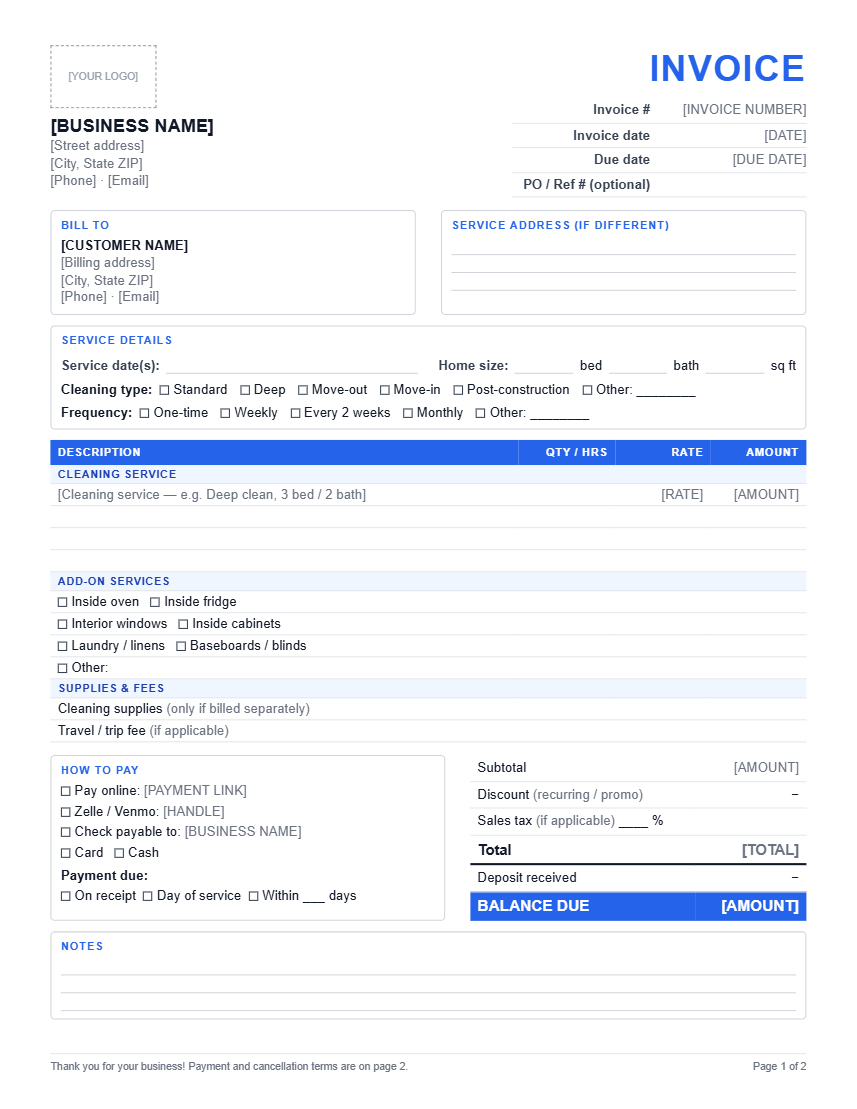
- •Add your logo, business name and contact details once, then save a master copy so you never retype them.
- •Give each invoice the next number in your sequence and fill in the invoice date and due date.
- •Fill in the service address if it’s different from the billing address — common for rentals and property managers.
- •Tick the cleaning type and frequency, and write the service date. For a month of recurring visits, list each date.
- •Enter the clean on the first line, then each add-on, supplies or travel fee on its own line.
- •Subtract any discount and deposit so the balance due is the amount you actually expect to receive.
- •Tick the payment methods you accept, then save the Word version as a PDF before sending it.
Why a cleaning invoice needs more than a generic template
A generic invoice has a description column and a total. Cleaning work needs a few extra fields that generic templates leave out. The service address matters because the person paying often isn’t the person living there. The cleaning type and home size explain why this week’s price is different from last week’s. Frequency matters because recurring clients are usually on a different rate from one-time cleans. And the deposit line stops you accidentally billing the full amount twice on a move-out job.
Writing your payment and cancellation terms
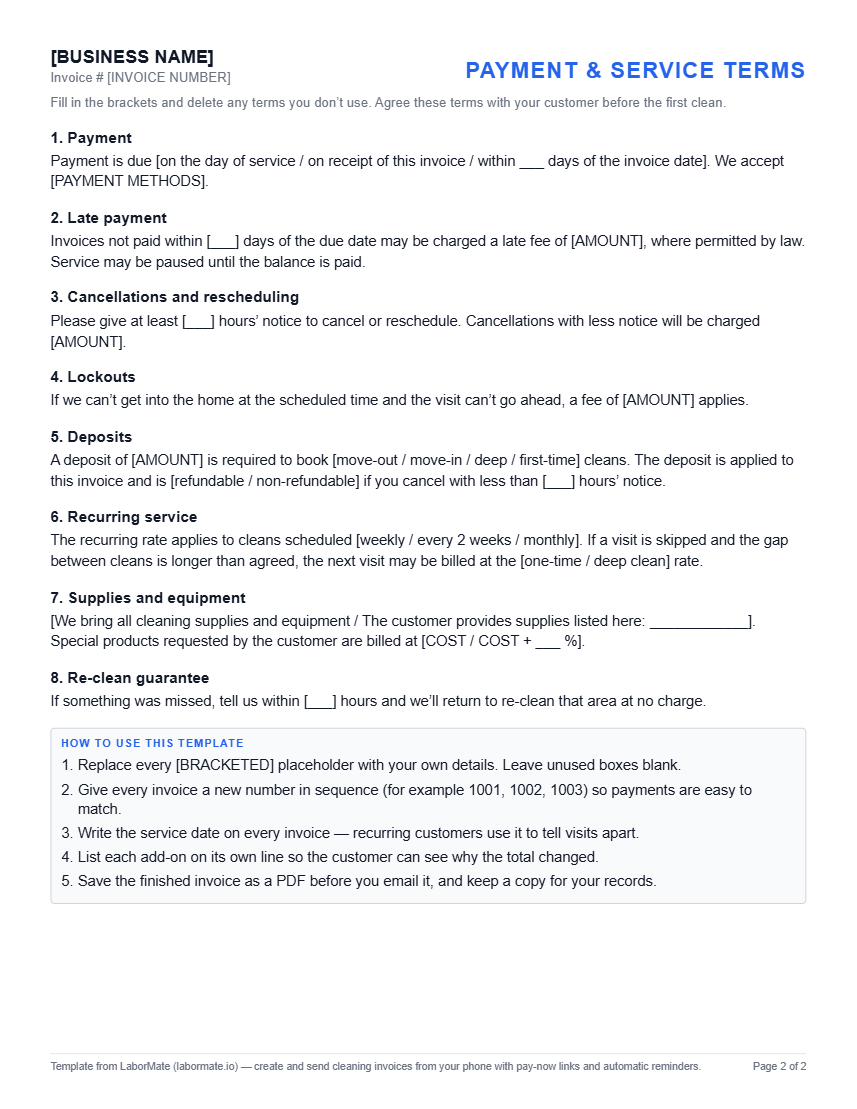
Page two of the template has terms with blanks for your own numbers: when payment is due, a late fee, cancellation notice, lockouts, deposits, recurring service, supplies and re-cleans. Delete the clauses you don’t need. Two rules matter more than the wording:
- •Agree the terms before the first clean — in your booking confirmation or service agreement. A fee the customer first sees on an invoice causes arguments.
- •Check your state’s rules before charging late fees or interest — what’s allowed varies by state.
Deposits on move-out and deep cleans
Deposits make the most sense for large one-time jobs, such as move-out or post-renovation cleans, where you reserve a long block of time and a cancellation hurts. Invoice the deposit when the job is booked. On the final invoice, show the full total, subtract the deposit on the “Deposit received” line, and bill the balance.
Residential and commercial cleaning
The template works for both. Commercial clients — offices, property managers, short-term rental hosts — often need a purchase order or reference number on every invoice, so there’s a field for it next to the invoice number. They may also pay on longer terms than homeowners. Put the exact due date on the invoice rather than “Net 30” alone, so nobody has to work it out.
When a template stops being enough
Paper and Word templates are fine for a handful of customers. They get harder to manage when you have to remember which invoices are unpaid, retype the same client details every week, and chase late payers by hand. If that’s where you are, read how to stop chasing unpaid invoices, or use LaborMate to send invoices with a pay-now link and automatic reminders. Not sure your prices are right? Try the house cleaning pricing calculator.
Frequently asked questions
What format is the cleaning service invoice template?
It comes as a print-ready PDF and as an editable Word (.docx) file. Both have the same two pages: the invoice itself and a page of fill-in-the-blank terms. Print the PDF to fill in by hand, or type into the Word file.
Can I edit the template on my phone?
Yes. The Word file opens in the Microsoft Word app, and you can also upload it to Google Drive and open it with Google Docs. Replace each bracketed placeholder, such as [BUSINESS NAME], with your own details, then save or export it as a PDF before sending.
Should cleaning businesses charge a deposit?
Deposits are most common for large one-time jobs such as move-out or post-renovation cleans, and for first-time customers. For regular recurring clients, a card on file or payment on the day of service usually works better. If you take a deposit, show it on the invoice and subtract it from the balance due.
Does this template work for commercial cleaning?
Yes. It has a PO / reference number field and a separate service address, which most offices and property managers ask for. For contract cleaning, list each service period or visit date on its own line and set the payment terms your contract specifies.
How should I number my cleaning invoices?
Use a simple sequence that never repeats, such as 1001, 1002, 1003, or a year prefix like 2026-001. Unique numbers make it easy to match payments to invoices and to find a job when a customer has a question.